
Printable
Free printable baby pool template
A ready-to-print template, free, in My Baby League colours: the card each guest fills in, and the results sheet for the big day, with a scoring guide built in.
Updated September 30, 2026
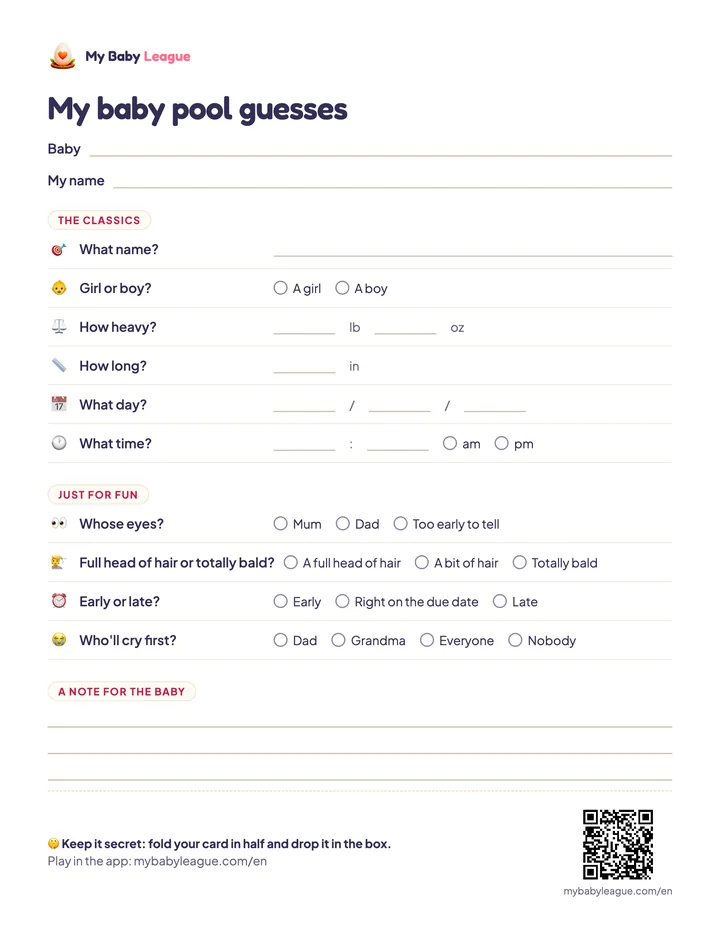
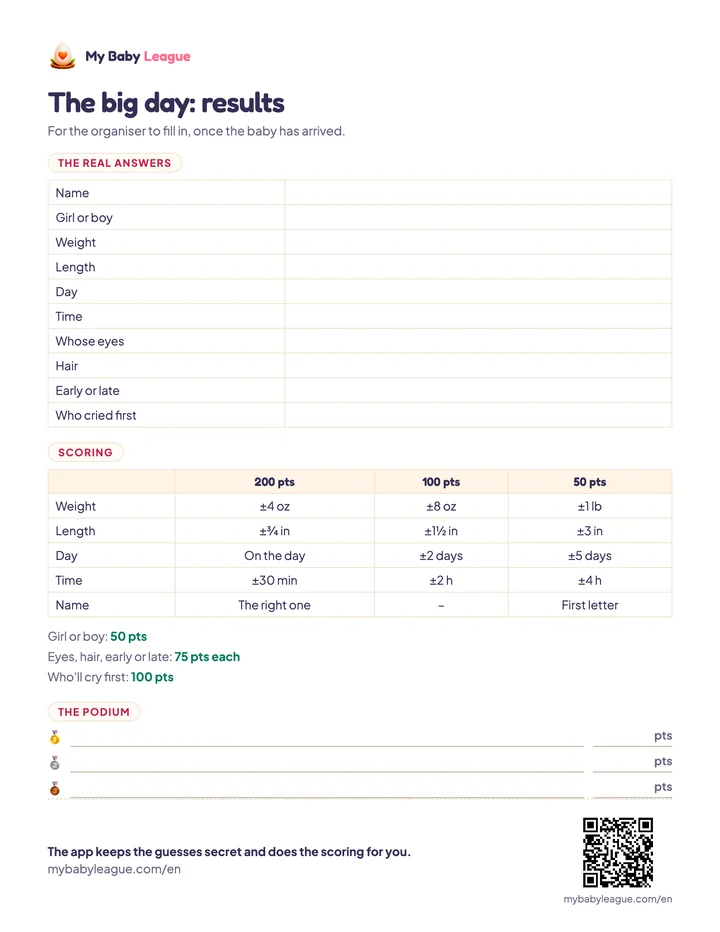
US Letter, two pages, prints fine on A4 too, in colour or black and white.
What's in the template
The card, to print once per guest: the six classics (name, sex, weight, length, day and time), four just-for-fun questions, and a few lines for a note to the baby. Weight and length are in pounds, ounces and inches.
The results sheet, for the organiser: the real answers to write down on the big day, the scoring guide and the podium.
How to use it
- Print one card per guest (page 1), and a single results sheet (page 2).
- Everyone fills in their card, folds it in half and drops it in a box or an envelope.
- The box stays sealed until the birth, kept by someone neutral.
- On the big day, write down the real answers, open the box and add up everyone's points.
- Announce the podium. To reward the winner, here are a few ideas.
Scoring at a glance
For the numbers, the closer you are, the more you score: 200, 100 or 50 points depending on the gap. For multiple-choice questions, 50 to 100 points depending on how many answers there are. It's all on the results sheet, and in our baby pool ideas guide, which has 26 more questions to choose from.
Paper or app?
Paper has its charm: no screens, and a nice excuse to get the pens out at the baby shower. But it has its limits: guests who live far away can't play, cards get lost, and all the scoring is done by hand.
In the app, everyone plays from their own phone, the guesses stay secret even from the organiser, and the points add themselves up. The QR code at the bottom of the template takes you straight there.